How do I share my fermentation progress with other people?
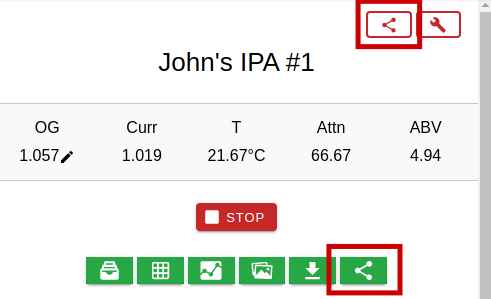
You can use any of the 2 share buttons that are available on the home page during an active fermentation. Both will generate a link that you can use to share your fermentation progress with other people.
The red share button at the top will always show the latest data/graph from your device even if the current fermentation finishes and there's no active fermentation or you start a new fermentation.
The green share button under the recipe name will only show the data/graph that belongs to its related batch. Once fermentation finishes it will stop updating and will just show the final graph of that batch
Should you change your mind after sharing with other people, simply tap on the share icon and select Delete. This will delete the link and it will no longer work