Push Notifications Overview
You can set up push notifications to receive alerts when certain events occur. This feature is only available to premium users.
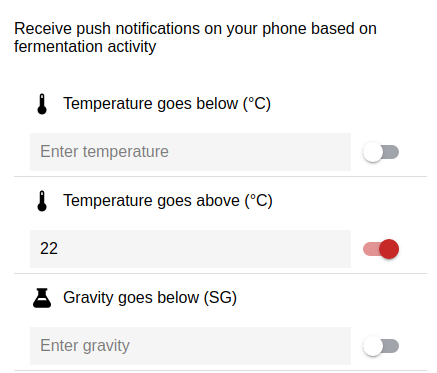
Push Notifications are defined per recipe, so your device has to be assigned to a recipe for these to work. When you start a new batch of a recipe that had notifications set up, BrewSpy will use the same notification settings for the previous batch. However if you start a new recipe, it will not use the previous settings and you would have to set up notifications for the new recipe.
To set up notifications, after starting a new batch, scroll down to the Notifications tab and tap on Setup Notifications. This will bring up the notifications window which allows you to choose what type of notifications you wish to receive, such us temperature ranges, attenuation, stopped fermentation.